Using Baseboard
Ad platforms
See Google, Meta and TikTok side by side, next to the revenue your store actually made.
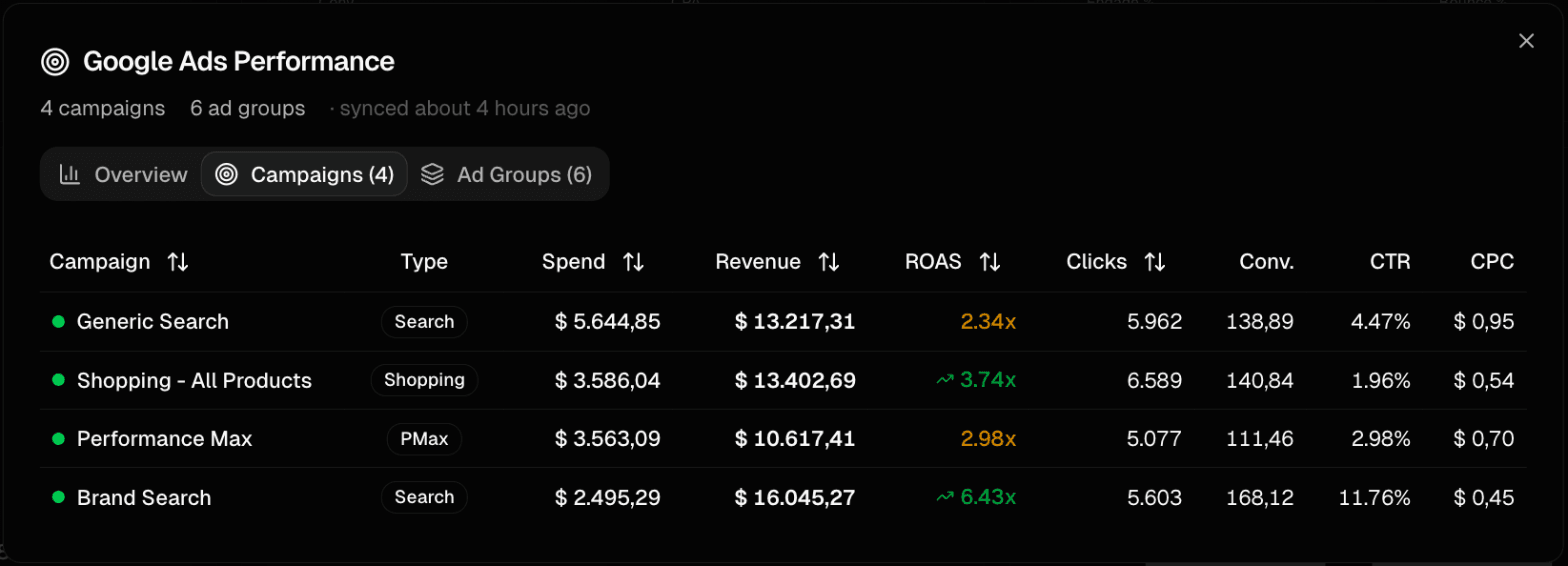
Google Ads
The Google Ads details have an Overview (ROAS, ad spend, conversion value, conversions, clicks, impressions, CTR, CPC and CPA), a Campaigns tab with the campaign type (Search, Shopping, Performance Max and more) and an Ad Groups tab. ROAS is color-coded so strong and weak campaigns stand out.
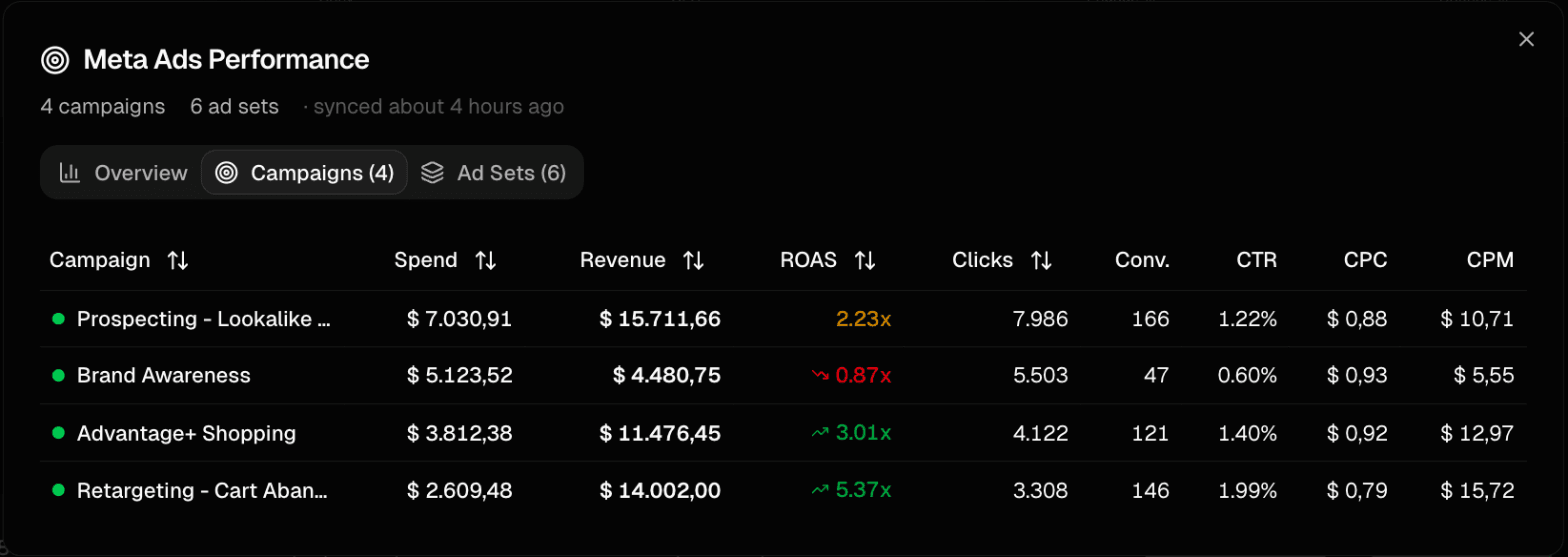
Meta Ads
Meta Ads shows campaigns and Ad Sets with spend, revenue, ROAS, clicks, conversions, CTR, CPC and CPM. After connecting, choose the Active Ad Account on the Meta integration card, then use Sync Now to import data right away.
TikTok Ads
TikTok Ads shows ad campaigns with spend, revenue, ROAS, clicks, conversions, CTR, CPC and CPM. Choose the Active Advertiser on the integration card. The same details also hold your organic TikTok videos, see Organic social.
Blended ROAS and CAC
Every ad platform reports its own revenue, and platforms often claim the same sale. Baseboard therefore also shows blended ROAS (your store's total revenue divided by total ad spend across all channels) and CAC (ad spend divided by the number of new customers). Platform ROAS is labelled as platform-reported.
Definitions and formulas: Blended ROAS, CAC and ROAS.
Missing something or something unclear? Email us at contact@baseboard.cloud.